Updated September 28, 2026 · Pricing, builder structure and current limits re-checked
Replo Review 2026: Pricing, AI Builder, Shopify Features & Pros and Cons
Replo has changed enough in 2026 that older “Shopify landing-page builder” reviews no longer describe the whole product. Replo now has a distinct AI Builder alongside its Classic Shopify Theme Builder, usage-based visitor limits, agent credits, built-in analytics and A/B testing, plus the Figma-heavy workflow that originally made it popular with ecommerce design teams. This review explains what Replo actually is today, how much it really costs, which builder you are buying into, and where the platform is powerful enough to justify its premium price.
Replo review: the short verdict
Replo makes the most sense for ecommerce teams that ship pages frequently enough for design speed, experimentation and reusable workflows to have measurable economic value. A small Shopify store that needs a handful of static pages can find much cheaper builders. A paid-acquisition team, agency or DTC brand launching campaigns every week can justify Replo more easily because the value is not only page creation: it is the reduction in design-to-launch friction plus testing and analytics.
The biggest 2026 change is product structure. Replo now separates the Classic Shopify Theme Builder from Replo Builder (AI). That distinction matters because pricing limits, publishing behavior and workflow can differ depending on which product you use.
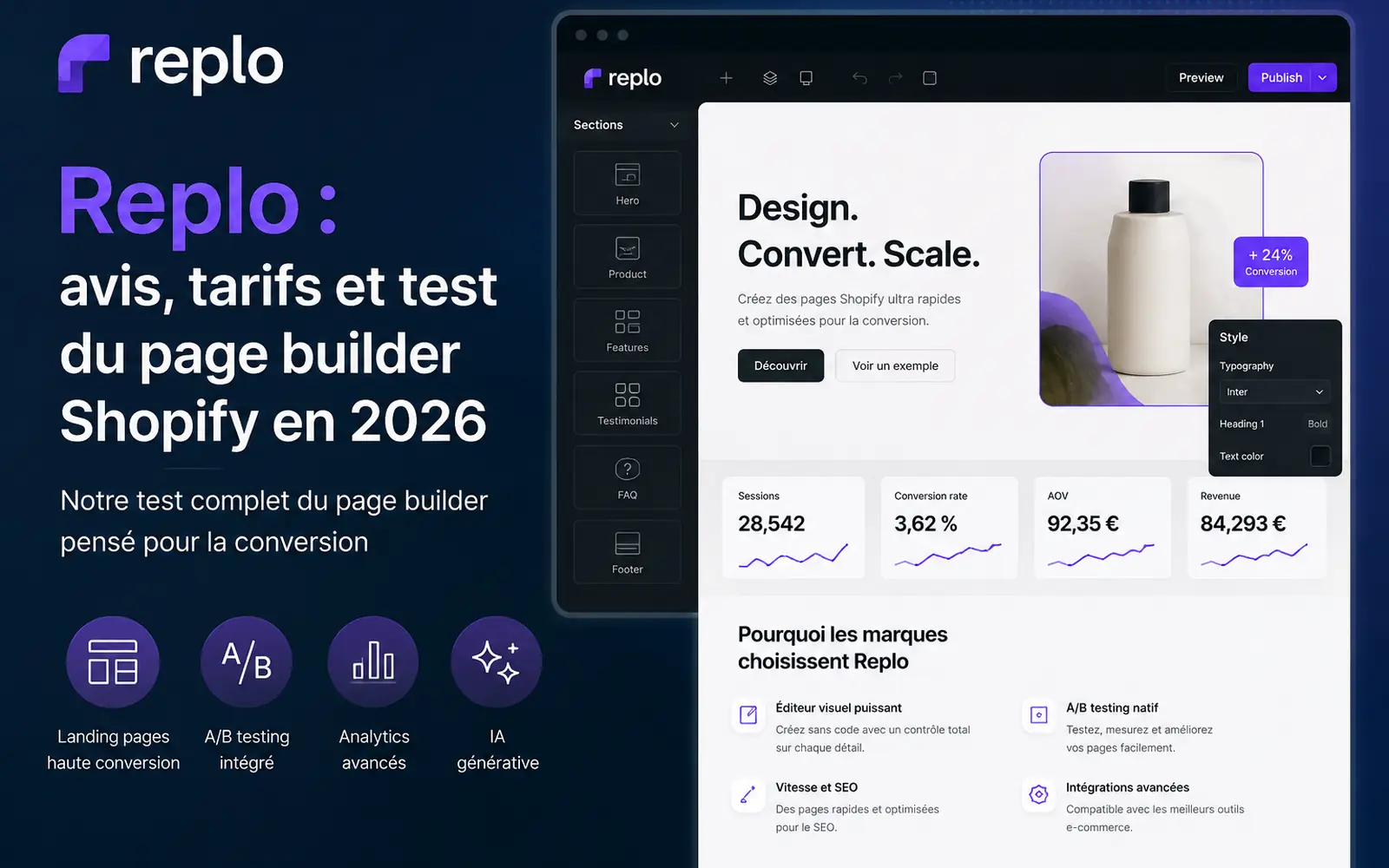
Replo offers a free entry point for exploring the builders. Live production use is where the paid plans become relevant.
Open ReploWhat is Replo in 2026?
Replo is an ecommerce site-building and optimization platform best known for giving Shopify teams far more design freedom than the native theme editor. The 2026 product is broader than that original positioning. Replo now operates through projects and offers two distinct building paths: a Shopify-focused visual builder and an AI-led builder that can be started even before a Shopify store is connected.
That means “Replo” can refer to different workflows depending on what a team is trying to build. The Classic Builder is still the familiar design-heavy experience. The newer Replo Builder uses an agent to help build, update and optimize commerce experiences, connect integrations and reuse workflow skills. Replo's current pricing page also bundles analytics and traffic allowances into the paid plans.
What changed in Replo in 2026?
- Replo Builder (AI) is now a distinct product alongside Replo for Shopify Themes.
- Agent credits are part of the Starter and Pro economics.
- Visitor sessions are now a visible plan limit for Replo Sites/AI Builder workflows.
- A/B testing and analytics are integrated into the paid product rather than being peripheral add-ons.
- Pro adds AI-powered optimization recommendations and higher traffic capacity.
- The product increasingly spans building, optimization and experimentation, not just landing-page composition.
Replo Classic Builder vs Replo AI Builder
This is the most important distinction to understand before buying.
| Replo for Shopify Themes | Replo Builder (AI) | |
|---|---|---|
| Primary workflow | Visual drag-and-drop design | AI/agent-led commerce building |
| Shopify required at setup? | Designed around Shopify integration | No; you can start without connecting Shopify |
| Best known for | Landing pages, sections, product templates, design systems | Building, updating and optimizing commerce sites through AI |
| Figma workflow | Strong fit via Figma-to-Replo plugin | Not the core reason to choose it |
| Usage limits | Published-item rules can matter on Starter | Agent credits and visitor sessions matter |
Replo itself describes these as two separate project types. The AI Builder can be created without a Shopify connection, while the Shopify Themes project is designed around the store/theme workflow.
Replo pricing in 2026
As checked in September 2026, Replo's public pricing page lists Starter at $99/month and Pro at $499/month when billed annually. Replo advertises these as monthly equivalents on annual billing. Month-to-month pricing is higher; its support documentation lists $119/month for Starter and $599/month for Pro in the A/B testing context.
| Plan | Annual-equivalent price | Key current limits / benefits | Best fit |
|---|---|---|---|
| Free | $0 | Explore/build; production publishing is limited | Testing the workflow |
| Starter | $99/mo billed annually | 10,000 agent credits, 100K visitor sessions, custom domains, analytics, unlimited team members | Small teams and serious stores |
| Pro | $499/mo billed annually | 50,000 agent credits, 500K visitor sessions, lower session overage, AI optimization recommendations, priority support | Agencies and high-scale teams |
| Custom | Custom | Higher limits and negotiated support | Enterprise/agency requirements |
Annual vs monthly pricing
This is a common source of confusion. If you see $99 or $499 quoted in a review, check whether that is the annual-equivalent rate. Replo's documentation also lists $119 Starter and $599 Pro for monthly pricing. A fair comparison with PageFly, GemPages or another tool should compare the same billing cadence.
The real cost is not only the subscription
Replo now has several usage dimensions. For the AI Builder/Sites workflow, visitor sessions and agent usage matter. Replo's support docs state that Starter includes 100K sessions per month and Pro 500K, with overage pricing after the included capacity. In the Theme Editor workflow, Starter can still be affected by published-item limits, while Pro unlocks unlimited publishing.
Is Replo free?
Yes, but Free should be treated as an evaluation tier rather than a realistic production plan for a serious ecommerce operation. Replo's own support documentation makes clear that paid access is required for normal live publishing workflows.
Replo Agent and AI Builder: what can the AI actually do?
Replo's current pricing describes the agent as a way to build, update and optimize a commerce site, connect integrations across the commerce stack and use reusable “skills” for repeatable workflows. This is a much broader thesis than adding an AI copy button to a page builder.
The more useful question is not “does Replo have AI?” but which parts of a growth workflow can be delegated without losing control of the storefront?
- Create or modify site experiences from instructions.
- Reuse skills for repeatable ecommerce work.
- Connect integrations in the commerce stack.
- Use analytics and, on Pro, AI-powered optimization recommendations.
- Turn ad creative into site content on Pro.
Agent credits therefore matter because they are part of the operating cost of AI-led work. Starter currently includes 10,000 credits per month and Pro 50,000.
Replo Build Assistant
Replo also has AI assistance inside its building experience for tasks such as modifying components, sections, copy and imagery. This is useful, but it should not be confused with the broader Replo AI Builder product. In other words, Replo now has both AI inside the editing workflow and a separate AI-led builder.
Replo visual editor and design system
The Classic Builder remains one of Replo's strongest reasons to exist. Its drag-and-drop model is based around components, containers, layouts and reusable sections rather than forcing a merchant into the relatively constrained Shopify theme editor.
That makes it attractive when a team needs to reproduce high-fidelity campaign designs, keep a design system consistent across launches, or let marketers ship pages without waiting for a developer for every change. The trade-off is that flexibility creates a more substantial learning curve than simpler template-first builders.
Can Replo import Figma designs?
Yes. Replo provides a Figma-to-Replo plugin that can copy frames into Replo while preserving layout, text styles and images. This is particularly useful for agencies and DTC teams where design work already begins in Figma.
But there is an important caveat: Replo strongly recommends Figma Auto Layout. Its documentation says that designs without Auto Layout usually require significantly more cleanup after conversion. It also recommends importing sections rather than entire huge pages when possible, and interactive behavior such as carousels still needs to be completed inside Replo.
Replo can convert Figma frames into Replo sections and pages, but Figma Auto Layout is the key to a clean import. A visually correct Figma file that relies heavily on absolute positioning can still become expensive to clean up after import.
What can Replo build beyond landing pages?
Replo's value is easiest to see when a team needs more than a one-off campaign page. Depending on the builder and Shopify connection, Replo can be used for landing pages, reusable sections, product templates, campaign microsites and more complex ecommerce experiences.
Replo also publishes use cases around bundle builders, native Shopify discounts and subscription-style purchase experiences. This does not mean every business can replace all custom development, but it does mean the platform now occupies more territory than “landing-page builder.”
Replo Analytics: what does it actually measure?
Replo Analytics tracks ecommerce performance metrics such as conversion rate, average order value, sessions, revenue and revenue per session. Paying customers can opt into analytics collection through Replo's pixel.
The more interesting part is attribution. Replo documents multiple attribution views:
- Entry Pages: attribute the conversion to the first page viewed in the session.
- All Session Pages: attribute the conversion to every Replo page viewed during the session.
- Fractional: split credit across the pages viewed.
This matters when comparing Replo numbers with Shopify or another analytics platform. Replo itself warns that page-based attribution can produce different revenue figures from product-based ecommerce reporting.
Does Replo have A/B testing?
Yes. Current Replo documentation says A/B testing is available on every paid plan. That makes older reviews claiming A/B testing is absent or requires a separate product out of date.
Replo supports reusable split-test URLs, unlimited variants and built-in analytics. A visitor who enters through a Replo experiment URL is assigned to a variant without the client-side “flicker” associated with some testing approaches.
How are A/B testing sessions counted?
Replo defines an A/B testing session as a visit through a Replo split-test link. Its January 2026 FAQ lists 100K sessions/month on Starter and 500K on Pro, with overage pricing after those allowances. Normal visits that do not enter through a Replo A/B testing link are not counted as experiment sessions under that definition.
Replo and Shopify
The Shopify integration remains central to the Classic Builder. Replo says one Replo shop maps to one Shopify store, and the Starter plan allows one Shopify Theme Editor shop. The integration enables pages, sections and templates to publish into the Shopify storefront.
The newer AI Builder is more flexible at setup: Replo explicitly allows a project to be created before Shopify is connected. That makes it possible to prototype or build before the commerce backend is ready.
What happens if you uninstall Replo?
Uninstalling the Shopify app is not the same thing as canceling the Replo subscription. Replo says that if you uninstall the app, pages and sections already published to the Shopify store can remain live. However, you cannot publish further changes, and Replo Analytics stops collecting new data because the pixel is removed.
Replo also warns that uninstalling the app does not automatically cancel the subscription. Billing must be managed separately in Replo.
What happens if you stop paying for Replo?
This is more consequential. Replo's current cancellation documentation says that once the paid period ends and the workspace drops to Free, Replo-hosted/custom-domain pages stop serving within 14 days. Pages published into a Shopify theme can no longer be updated, and Replo-hosted files, fonts and images can be removed, which can cause those pages to stop displaying correctly. The company says content remains recoverable for a limited period before removal.
So do you “own” a Replo page?
The answer is more nuanced than yes/no. A Shopify-published page can remain after an app uninstall, but ongoing publishing, analytics and some hosted assets depend on Replo. If long-term platform independence is important, evaluate exactly which assets and page types your workflow relies on before standardizing your storefront around Replo.
Is Replo good for SEO?
Replo gives teams control over page URLs, titles and other page-level settings, and Pro documentation references built-in SEO for the AI Builder. That is enough to make Replo viable for indexable ecommerce pages, but SEO quality still depends on the implementation: content structure, internal links, page weight, images, scripts and the surrounding Shopify storefront.
Performance claims should also be treated carefully. Competing builders often criticize Replo's JavaScript footprint, but those comparisons are usually produced by companies selling alternatives. The practical approach is to test Core Web Vitals on the exact page design you plan to publish rather than assume one universal performance result.
Who gets the most value from Replo?
If you launch campaign-specific pages and test them continuously, Replo can reduce the gap between ad creative and storefront execution.
The Figma plugin and high-fidelity editor make the most sense when design already happens outside Shopify.
The more often you need new offers, PDP variants and campaigns, the easier it is to justify a premium builder.
Reusable workflows, Pro capacity and multi-client design processes fit agency economics better than a one-page merchant use case.
Who should probably skip Replo?
- Stores that change pages only a few times per year. Native Shopify or a cheaper builder may be enough.
- Teams with no experimentation program. You are paying for capabilities you may not use.
- Businesses that need one simple landing page. Replo's paid entry point is hard to justify for a single static page.
- Teams that want zero vendor dependency. Publishing, analytics and hosted assets remain tied to the platform.
- Beginners expecting AI to remove every design decision. Replo can accelerate execution, but strong ecommerce pages still require good offers, hierarchy, copy, creative and testing judgment.
Replo pros and cons
Pros
- High design freedom for Shopify.
- Separate AI Builder broadens the product beyond manual landing pages.
- Strong Figma workflow for design teams.
- Built-in A/B testing on paid plans.
- Useful ecommerce analytics and attribution views.
- Reusable design/components can reduce launch time.
- Good fit for agencies and paid-acquisition teams.
Cons
- Premium pricing compared with basic Shopify page builders.
- Annual-equivalent vs monthly prices can be confusing.
- Different limits apply to AI Builder and Theme Editor workflows.
- Session/agent usage adds another cost dimension.
- Classic Builder has a meaningful learning curve.
- Ongoing publishing and some assets depend on Replo.
- Pro is a large jump from Starter.
Replo alternatives
Replo is not automatically the right choice just because it is powerful. Lower-cost builders can be a better fit for stores that prioritize templates and basic visual editing over design-system depth and experimentation.
| Option | Best reason to consider it |
|---|---|
| PageFly | Established Shopify page builder with a lower-cost path for broad page-building needs. |
| GemPages | Conversion-oriented templates and Shopify page building at a lower entry point. |
| Native Shopify theme editor | No extra builder subscription when your design needs are simple. |
| Custom development | Maximum control for brands that can justify engineering cost and maintenance. |
For a dedicated comparison of the two lower-cost Shopify builders, see our PageFly vs GemPages guide. This Replo review intentionally stays focused on Replo rather than turning into a multi-product comparison.
Is Replo worth it in 2026?
Replo is worth it when the cost of slow page production is higher than the subscription. That usually means a brand or agency is launching often, spending meaningful money on traffic, running tests, or depending on designers and developers for every landing-page iteration.
Starter can make sense when a team needs the Replo workflow but stays within the included traffic and publishing limits. Pro becomes easier to justify for high-volume brands, agencies and teams that need unlimited Theme Editor publishing, much higher session capacity and the newer AI optimization capabilities.
The weakest use case is a small Shopify store that simply wants prettier pages. Replo can do that, but you would be paying for an ecosystem of experimentation, analytics and workflow power that you may never use.
Do not evaluate Replo as “$99 versus a cheaper page builder.” Evaluate it as software cost versus the design, development and opportunity cost of launching and testing ecommerce experiences without it. If you ship frequently, that equation can favor Replo. If you do not, cheaper tools are easier to defend.
Frequently asked questions
How much does Replo cost?
As checked in September 2026, Replo lists Starter at $99 per month when billed annually and Pro at $499 per month when billed annually. Month-to-month pricing is higher, and usage overages or Theme Editor publishing limits can affect the real cost.
Is Replo free?
Yes. Replo has a Free plan for exploring and building, but live publishing is limited. Replo's documentation says the free tier is primarily for trying the product rather than running a production Shopify growth workflow.
What is Replo AI Builder?
Replo AI Builder is a separate Replo product from the Classic Shopify Theme Builder. It can build, update and optimize commerce experiences through an AI-led workflow and can be started before a Shopify store is connected.
Does Replo work without Shopify?
The Replo AI Builder can be used without connecting Shopify at setup. The Classic Shopify Theme Builder is designed around Shopify integration.
Does Replo have A/B testing?
Yes. Replo's current documentation says A/B testing is available on all paid plans, with reusable split-test URLs, unlimited variants and built-in analytics.
Can Replo import Figma designs?
Yes. Replo provides a Figma-to-Replo plugin for copying frames into Replo. Replo recommends using Figma Auto Layout because non-Auto-Layout designs usually require significantly more cleanup after import.
What happens if I uninstall Replo from Shopify?
Replo says already-published pages can remain live after uninstalling the Shopify app, but you cannot publish new changes and Replo Analytics stops collecting data. Uninstalling the app is not the same as ending the paid Replo plan.
What happens if I cancel Replo?
After the paid plan ends and the workspace moves to Free, Replo says custom-domain and Replo-hosted pages stop serving within 14 days, and hosted assets used by Shopify-theme pages can also be removed. Replo keeps content recoverable for a limited period.
Is Replo good for small Shopify stores?
It can be, but the economics are strongest when a store launches landing pages frequently, runs paid acquisition, uses A/B testing or would otherwise spend meaningful design and development time on each campaign.
Does Replo replace a developer?
Not completely. Replo can remove a large amount of routine landing-page implementation work, but complex integrations, performance troubleshooting and custom storefront architecture can still require development expertise.
Sources and methodology
This review was rebuilt from current Replo product pages and support documentation rather than relying on old directory pricing. Pricing and limits were re-checked on September 28, 2026. Where Replo's products have different limits, this article separates AI Builder/Sites from Shopify Theme Editor behavior instead of combining them.
Start with Replo's free entry point, then compare the actual time it takes your team to ship a production-ready page against your current Shopify workflow.
Try Replo