Updated September 15, 2026 · Reviewed for pricing, product positioning and source accuracy
What are the best tools for fact-checking a video?
There is no single detector that can tell you whether a video is “true.” A real video can carry a false caption, an old clip can be presented as a current event, and a synthetic video can contain accurate information. Reliable verification separates the claim, the media and the context.
Quick answer: what is the best way to fact-check a video?
Do not rely on one “AI detector.” First write down the factual claim the video is being used to support, then verify date, location, original source and context. Reverse-search distinctive frames, compare earlier uploads, inspect provenance when available and use reputable reporting or primary evidence to verify the claim itself. Authenticity and factual accuracy are separate questions.
- Verify the claim before hunting for synthetic-media artifacts.
- Use several distinctive frames for reverse-image search.
- Treat provenance signals as evidence, not as proof that the accompanying claim is true.
| Question | Best method | Why |
|---|---|---|
| Is the claim true? | Primary-source research / fact-checking | The pixels do not prove the statement. |
| Is this old footage? | Keyframe reverse search | Find earlier copies and original context. |
| Was the media edited? | Provenance + forensic inspection | Look for metadata, edit history and visual/audio anomalies. |
| Is it AI-generated? | Multiple detectors + provenance + source context | No detector is reliable enough to be a sole verdict. |
Start with the claim, not the pixels
Before analyzing compression artifacts, write down what the video is asking you to believe. “This clip shows event X in city Y today” contains several claims: what happened, where, when and whether the footage is original to that event.
A perfectly authentic video can still support a false story if the date or location is wrong. This is why media authenticity and factual accuracy must be checked separately.
Extract and reverse-search key frames
Pick frames with distinctive buildings, signs, vehicles, weather, clothing or objects. Reverse image search can reveal an older upload, a news article or a different location. For viral misinformation, recycled footage is often easier to prove than sophisticated synthetic manipulation.
Use multiple frames. A generic close-up may return nothing while a wide shot contains the landmark that resolves the context.
Check the original source and upload chain
Find the earliest version you can. Compare usernames, timestamps, captions and whether the account has a history that makes the upload plausible. Reposts often strip context and metadata.
If the video claims to come from an institution, check the institution’s official channels rather than trusting a logo inside the clip.
Use C2PA and Content Credentials when available
C2PA-based Content Credentials can provide cryptographically signed information about media creation and editing history. This is useful positive evidence when credentials are present and valid.
Absence of credentials is not evidence of fakery. Most legitimate media on the open web still lacks a complete provenance chain.
AI-generated video detectors: useful signal, not verdict
Detectors can produce false positives and false negatives as generation models and compression pipelines change. Different detectors may disagree on the same clip.
Use detection as one input alongside provenance, source history, reverse search and factual verification. A high detector score should trigger deeper checking, not automatic publication of a “fake” label.
What a video fact-checking product should do
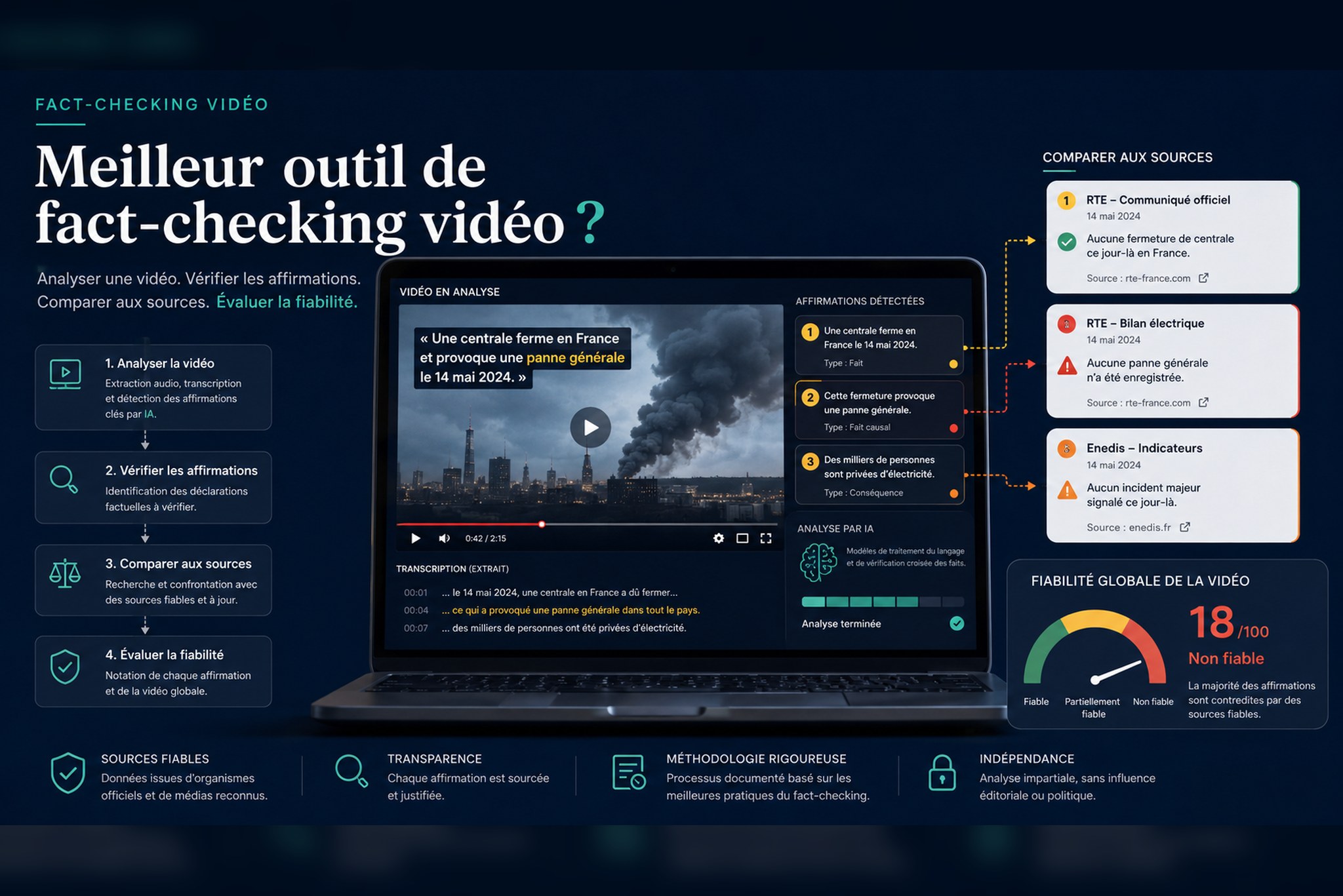
A useful product should help separate claims, surface evidence and preserve sources. For long videos, transcription and claim extraction can save time, but the final assessment needs traceable evidence rather than an opaque confidence score.
VideoVFY is one example of a workflow that analyzes video claims and returns sources and a reliability estimate. As with any automated fact-checking system, treat the result as research assistance and inspect the underlying sources.
A repeatable five-step workflow
- 1. State the exact claim and what would prove or disprove it.
- 2. Identify the original or earliest available source.
- 3. Extract key frames and reverse-search them.
- 4. Verify the claim with primary/authoritative sources and provenance data.
- 5. Record the evidence and express uncertainty when the available information is incomplete.
How to document a verification so someone else can reproduce it
A strong fact-check is reproducible. Save the original URL, upload time when visible, screenshots of key claims, extracted frames, reverse-search results and the primary sources used to verify location, date or event details. If the platform may delete the post, preserve lawful archival evidence where appropriate.
Write the conclusion at the same level of certainty as the evidence. “We found an older version from 2023, so this is not footage from today” is stronger than “this video looks suspicious.” Conversely, if the earliest source cannot be identified, say that the origin remains unverified rather than converting uncertainty into a false verdict.
This evidence trail is especially important when AI tools are involved. Automated claim extraction and source discovery can accelerate research, but another reviewer should still be able to inspect the sources without trusting the model that found them.
Frequently asked questions
Can AI detect every fake video?
No. Detection systems have false positives and false negatives, and many misleading videos use authentic footage with false context.
Does missing C2PA data mean a video is fake?
No. C2PA can provide useful positive provenance evidence when present, but absence is common for legitimate media.
What is the fastest first check?
Write down the exact claim, extract a few distinctive frames and search for earlier versions or authoritative reporting.
Sources and verification
Product capabilities and pricing can change. We prioritize first-party documentation for purchase-critical details and recommend checking the vendor before subscribing.