Updated September 28, 2026 · Pricing, credits and current features re-checked
TubeAI Review 2026: Is TubeAI.app Worth It?
TubeAI.app has changed substantially in 2026. It is no longer just a YouTube idea or script generator: Hugo now sits at the center of a broader workflow spanning research, competitor intelligence, titles, thumbnails, scripts, YouTube Analytics, planning and a newer AI Production Studio. This review focuses on what TubeAI actually does today, what each plan buys, how the credit system changes the real cost, and where a specialist YouTube AI platform earns its place over a general-purpose assistant.
TubeAI review: the short verdict
TubeAI is most compelling for creators whose bottleneck is deciding what to make, packaging it well and learning from channel data. Its differentiator is not generic AI writing. It is the combination of a large YouTube research database, Hugo's research and analytics context, thumbnail tooling, channel intelligence and a workflow that can move from idea to production.
The permanent Free plan makes the product unusually easy to test. Basic mainly gives you more usage. Pro is the more meaningful upgrade because it adds official YouTube Analytics, multiple connected channels, deeper research agents, persistent Hugo memory and Thumbnail Pro Mode. The main downside is that credit usage can become hard to predict once research, Hugo and high-cost thumbnail generations are mixed together.
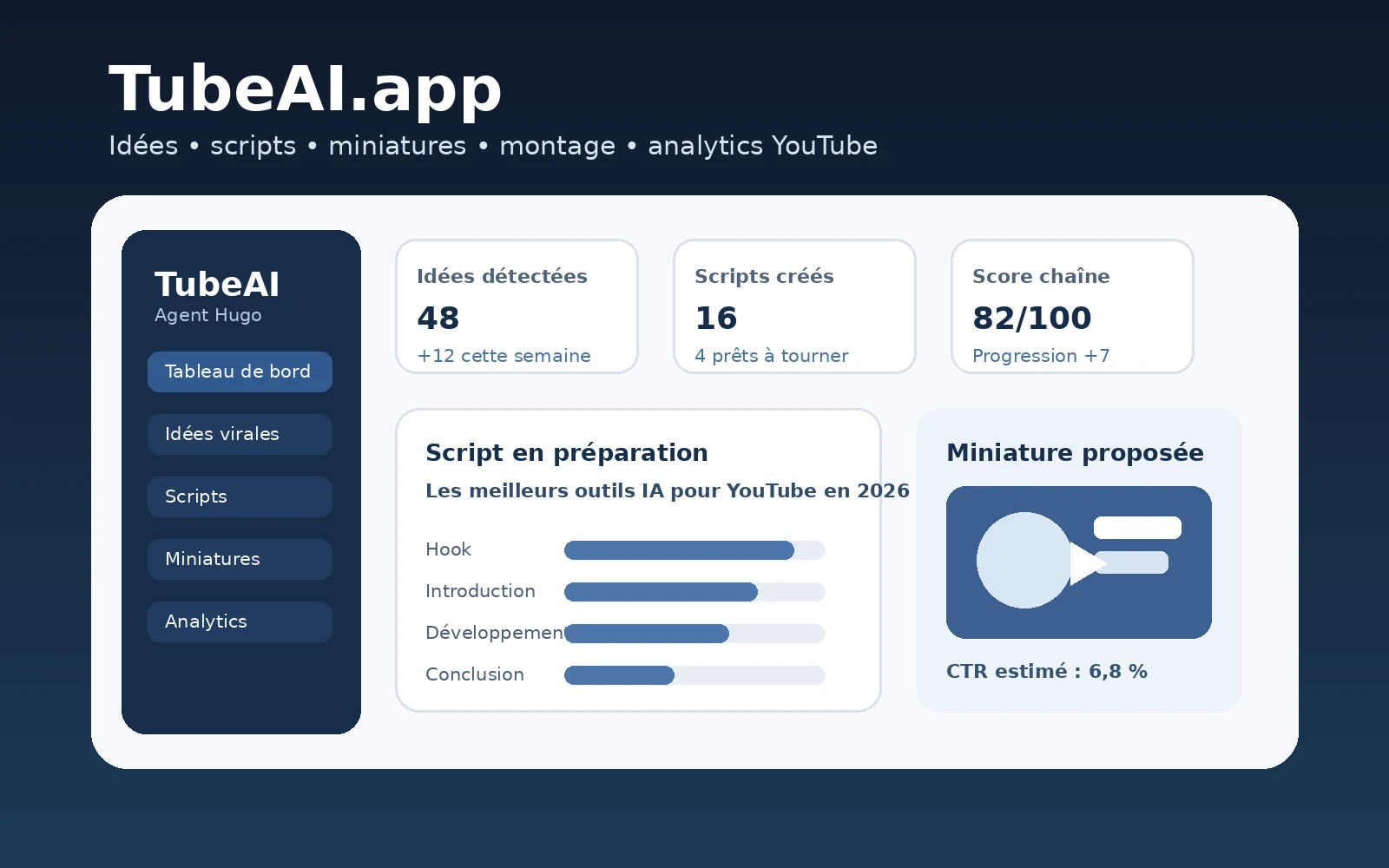
The Free plan is the safest way to judge whether TubeAI's research changes the videos you would actually make.
What is TubeAI?
TubeAI is a YouTube-focused AI platform for research, content planning, scripting, thumbnails, analytics and production. Its current product is organized around Hugo, an AI strategist that can pull from TubeAI's YouTube database, live web and social research, your previous generations and—on eligible plans—your own connected YouTube Analytics.
That matters because the value proposition is different from simply opening ChatGPT and asking for ten video ideas. TubeAI attempts to anchor its suggestions in signals from real channels and videos: outliers, title patterns, thumbnail behavior, niche momentum, competitor activity, audience data and performance history.
The platform also includes dedicated tools for Viral Ideas, titles and descriptions, Thumbnail Studio, channel audits, audience and retention analysis, ideation boards, smart research folders and competitor analysis. In 2026, TubeAI additionally markets an AI Production Studio that can turn a script into a more complete video-production workflow.
Who is TubeAI for?
TubeAI fits best when YouTube is a repeatable publishing operation rather than an occasional side project. A creator publishing every week can reuse the research database, saved context, channel analytics and content-planning features repeatedly. A creator uploading three times a year has far fewer opportunities to recover the subscription cost through saved time or better decisions.
Established or growing creators who need better topic selection, competitor research, packaging and channel-specific analysis.
Occasional creators who mainly need generic brainstorming or already have a highly optimized workflow built around general-purpose AI tools.
What changed in TubeAI in 2026?
This is one of the reasons older TubeAI reviews can now be misleading. The product has expanded quickly. Hugo has become the front door to research and analytics; Thumbnail Studio now includes higher-end Pro generation and brand-matching tools; official YouTube Analytics can feed private performance data into the workflow; and the company now promotes an AI Production Studio rather than stopping at scripts and thumbnails.
TubeAI also exposes Hugo through the web app, Telegram and a Chrome extension, while Enterprise adds deeper research, teams, voice messages and multi-step or scheduled workflows. In other words, the product is moving from a collection of generators toward a more persistent creator operating layer.
TubeAI pricing in 2026
TubeAI runs four tiers: Free, Basic, Pro and Enterprise. The Help Center confirms that all tiers include the core creation tools, while higher plans increase credits and unlock deeper data, research and collaboration capabilities. The prices below were cross-checked against current September 2026 pricing references; because TubeAI says the in-app Plans screen is the source of truth, always verify the live amount before paying.
| Plan | Monthly price | Credits/month | What changes |
|---|---|---|---|
| Free | $0 | 500 | Core tools, Hugo, database browsing, ideas, titles, thumbnails and scripts. |
| Basic | $19.99 | 1,000 | More monthly usage, top-ups and the ability to add channels to the research database. |
| Pro | $59.99 | 3,000 | YouTube Analytics, multiple channels, longer scripts, Thumbnail Pro Mode, deeper research agents, uploads and persistent Hugo memory. |
| Enterprise | $199.99 | 15,000 | Teams, roles, Deep Research/Swarm scripts, voice messages, advanced AI and multi-step or scheduled workflows. |
Pricing checked September 2026. TubeAI explicitly states that the current in-app plan screen is the source of truth for live prices and allowances.
Free: more than a timed trial
The Free tier is permanent. TubeAI's own homepage says it includes Hugo, the full database and every core generator with monthly credits, without a card or trial clock. This matters because it lets you test the product's real differentiator—the research and workflow—before subscribing.
Basic: mainly more usage
Basic is the natural step for a solo creator who likes the Free workflow but runs out of credits. It increases the monthly allowance and enables top-ups and additional research-database channel management, but it does not unlock the deepest private-data layer.
Pro: the plan that changes what TubeAI knows
Pro is the more important upgrade strategically. It adds the official YouTube Analytics connection, multiple connected channels, longer scripts, channel momentum and performance charts, Thumbnail Pro Mode, file uploads, research agents and persistent Hugo memory. Put simply: Basic gives you more usage; Pro gives TubeAI more context about your actual channel.
Enterprise: workflows and teams
Enterprise is aimed at heavier operations. It adds team roles, Deep Research (Swarm) scripts, Hugo voice messages, more advanced chat models and multi-step or scheduled workflows. Solo creators should only pay for this tier if those deeper workflows justify the jump rather than simply chasing the largest credit allowance.
Free plan vs 7-day trial
TubeAI has both. The permanent Free plan continues without a subscription. Separately, its Help Center says new subscribers may be offered a 7-day Basic or Pro trial once per customer, with a payment method required and automatic conversion unless canceled.
How TubeAI credits actually work
The headline monthly price does not tell you how much TubeAI you can use. Generations and research actions consume credits at different rates, so your real capacity depends heavily on workflow.
| Action | Credit cost | Why it matters |
|---|---|---|
| Hugo message | 3 | Basic chat interaction before extra research actions. |
| Research lookup | +2 | Can stack on top of Hugo usage when external/database research is needed. |
| Standard script | About 25 | Useful benchmark for planning monthly script volume. |
| Viral Ideas generation | 50 | Produces up to 12 researched concepts. |
| Regular thumbnail | 4 | Low-cost image ideation. |
| Thumbnail Pro Mode | 44 | Roughly 11× the credit cost of a regular thumbnail. |
| Magic Edit | 5 | Targeted edit rather than a complete regeneration. |
| Regular variation | 2 | Cheap iteration on an existing concept. |
| Pro variation | 42 | Nearly the same cost as a fresh Pro thumbnail. |
Credit costs can change. Thumbnail and Hugo costs are documented by TubeAI; script pricing is also reported by current third-party reviews that checked the live product in September 2026.
What can 500 credits actually buy?
If you spent the entire Free allowance on only one action, 500 credits is mathematically equivalent to roughly 166 basic Hugo messages, 125 regular thumbnails, 20 standard scripts, 10 Viral Ideas generations or 11 Pro thumbnails. Real usage will be lower and more mixed because research, follow-up messages and multiple generations often stack.
This calculation is more useful than simply calling 500 credits “generous” or “limited.” A thumbnail-heavy creator can stretch the Free plan much further than someone using Pro Mode, deep research and repeated idea generation.
Plan credits and top-up credits are different
TubeAI's current materials distinguish monthly plan allowances from separately purchased top-ups. The company says top-up credits do not expire while plan allowances reset with the billing cycle. For bursty research work, that makes a smaller plan plus occasional top-ups potentially more efficient than permanently upgrading just to cover one heavy planning month.
What happens when a generation fails?
TubeAI has a dedicated Help Center entry for failed generations and credit handling. Before assuming a failed output permanently consumed your allowance, check the generation status and current billing documentation; the exact refund/re-credit behavior can depend on the failure state.
What is Hugo in TubeAI?
Hugo is TubeAI's built-in YouTube strategist. Instead of making you open a separate research, analytics, script and thumbnail tool, Hugo can decide which TubeAI systems to query and can trigger those tasks from one conversation.
According to TubeAI's current documentation, Hugo can pull official YouTube Analytics when a channel is connected, query TubeAI's research database, inspect videos or channels from links, use web and social research, retrieve past generations and launch scripts, thumbnails, titles, Viral Ideas and reports.
Hugo is strongest when it has real context
A generic prompt such as “give me ten YouTube ideas about AI” is easy to reproduce in almost any chatbot. Hugo becomes more defensible when the question is specific to your channel: “Why did my last upload underperform?”, “Which content bucket is gaining momentum?”, or “Find an outlier format competitors in my niche are not using yet.” Those queries can combine your own performance signals with TubeAI's wider research dataset.
Persistent memory changes the workflow
On paid tiers that support it, persistent memory lets Hugo retain channel preferences, formats and recurring decisions. This reduces the need to rebuild the same context every session and is one of the features that can make a specialist tool meaningfully faster than a blank general-purpose chat.
Hugo on web, Telegram and Chrome
TubeAI currently lists Hugo on the web app, Telegram and a Chrome extension. That makes the product more useful as an always-available research assistant rather than a dashboard you must consciously open each time. Enterprise also adds Hugo voice messages, while some capabilities vary by plan.
TubeAI Viral Ideas and research database
Viral Ideas is not simply a prompt template. TubeAI says one run can produce up to 12 ranked concepts using competitor intelligence, past channel performance, web/news trends and social signals from sources such as X and Reddit.
Each returned idea can include a Viral Score, estimated views, competition level, hook, structure and a rationale. The score is TubeAI's estimate—not a promise of virality—but the useful part is that ideas are framed as decisions with evidence rather than as unranked brainstorms.
Four ways to generate Viral Ideas
TubeAI documents Auto, Content Bucket, Channel Folder and Video Folder modes. The folder-based modes let you generate from collections of relevant channels or videos instead of from a broad niche description, which is useful when you already know the competitive set you want to study.
Why fewer than 12 ideas can be a good sign
TubeAI says it can return fewer ideas when not enough concepts clear its minimum Viral Score threshold. That is preferable to filling the page with weak ideas just to hit a quota, although creators should still treat the score as a prioritization aid rather than objective probability.
TubeAI competitor intelligence
TubeAI's research layer now goes beyond a list of competitor channels. It includes outlier detection, similar-channel discovery, smart folders that update when new videos match rules, trending formats, title and thumbnail behavior, niche exploration and packaging signals.
This is one of the clearest reasons to consider TubeAI over a generic AI model. A language model can reason about a list of competitors you provide; TubeAI's product value is maintaining and querying a specialized YouTube dataset and turning those patterns into an operational workflow.
Outliers are evidence, not forecasts
There is an important limitation. An outlier tells you what beat a channel's normal baseline in the past. It does not guarantee that copying the topic, title structure or thumbnail pattern will work for your audience. The best use is hypothesis generation: identify repeatable patterns, then filter them through your own audience, production strengths and timing.
TubeAI script writer
TubeAI's script workflow can combine research, citations, voice matching, hooks, retention structure, visual cues, chapters and sponsor sections. Hugo can also trigger script generation directly from a researched idea.
This review deliberately does not turn TubeAI into a pure script-writing comparison. If your main requirement is a dedicated long-form YouTube scripting environment, see our Subscribr AI review. TubeAI's broader value is the chain from research and packaging to script and analytics, not scripting in isolation.
TubeAI Thumbnail Studio
Thumbnail Studio is one of the strongest areas of the current product. It can start from a written idea, an existing script or a YouTube video and generate one to five thumbnail concepts.
TubeAI documents controls including Style Match, which learns visual patterns from a channel or playlist; Host Face, which inserts a supplied creator photo; freeform instructions; presets; reference YouTube links; Magic Edit; variations; color grading and previews that simulate different YouTube feed placements.
Regular vs Pro Mode
Regular thumbnails cost far fewer credits. Pro Mode costs roughly 11 times more per generation—44 credits versus 4 in TubeAI's August documentation—but adds stronger models, deeper style analysis, real-image reference search and more sophisticated iteration behavior.
That means Pro Mode is not automatically the sensible default. For early ideation and high-volume testing, regular mode is economically attractive. Pro is easier to justify when brand consistency, realism or matching a proven visual system matters enough to pay the extra credit cost.
Style Match and Host Face reduce prompt overhead
These features address a practical weakness of generic image generation: repeatedly explaining your visual identity. If the system can learn the colors, fonts, composition and host appearance you already use, the workflow can become faster even before image quality itself is considered.
TubeAI Analytics: what Pro actually unlocks
Older TubeAI descriptions that treat analytics as a weak point are outdated. TubeAI now says Pro includes an official YouTube Analytics connection with retention curves, demographics, traffic sources, multiple channels, channel momentum and performance charts.
The distinction is important. Public database research can tell TubeAI what happened across other channels. Your connected Analytics can tell it what happened to your audience. Hugo can then answer questions using both types of information.
Channel Audit
The channel audit is useful when you want diagnosis rather than another generation. A creator can use it to inspect content buckets, performance trends, audience behavior and retention problems, then carry those findings into the next idea or packaging decision.
Retention data is more valuable than generic “SEO” advice
For many established channels, the key questions are not search keywords but whether viewers clicked, where they left and what topics or formats repeatedly outperform. TubeAI's direction toward first-party channel data makes the product less dependent on generic YouTube SEO checklists and more aligned with actual publishing feedback loops.
TubeAI Production Studio: TubeAI now goes beyond pre-production
This is the biggest freshness gap in several current reviews. TubeAI now markets an AI YouTube Video Editor & Generator that can take a script and assemble a produced video.
The official product page describes context-aware royalty-free B-roll sourcing, motion graphics, screenshot/proof-content integration, automated timeline assembly, text-to-speech narration and a browser-based non-destructive layers editor. It also advertises direct export toward YouTube.
Why we treat Production Studio more cautiously
The production layer is newer and currently less documented in TubeAI's main Help Center than Hugo, Thumbnail Studio, plans and Viral Ideas. That means it should not yet carry the entire buying decision. If finished-video production is your main requirement, test that workflow directly on your content before assuming the marketing page represents the same maturity as TubeAI's established research stack.
Still, its existence materially changes the category boundary: it is no longer accurate to describe TubeAI.app categorically as a product that “makes no video.”
Is TubeAI easy to use?
The product is easier to start than its feature list suggests because the Free plan and Hugo provide a single entry point. But TubeAI is becoming broader: database tools, folders, boards, analytics, thumbnail modes, scripts, production and multiple research surfaces create a real learning curve.
For a new creator, the best onboarding strategy is not to learn every feature. Start with one repeated decision—finding the next video, improving a thumbnail or diagnosing an underperforming upload—and let Hugo route the work. Add specialized tools only when the workflow calls for them.
Connecting TubeAI to YouTube: permissions and data
Connecting a channel is optional, but the deeper Pro analytics depend on it. TubeAI's terms describe use of Google's OAuth permissions and state that connected YouTube data is removed when the channel is disconnected. As with any third-party analytics product, review the requested scopes yourself before authorizing access, especially for business-critical channels.
TubeAI pros and cons
Pros
- Permanent Free plan with meaningful access to the core platform.
- Hugo combines research, analytics and generations in one conversation.
- Specialized YouTube database rather than generic prompt-only ideation.
- Official YouTube Analytics integration on Pro.
- Strong thumbnail workflow with cheap standard generations and advanced Pro options.
- Useful competitor and outlier research features.
- Production Studio now extends the workflow beyond scripts and packaging.
- Top-up credits can fit bursty usage better than a forced permanent upgrade.
Cons
- Credit consumption becomes difficult to estimate across mixed workflows.
- Several of the most valuable channel-specific capabilities require Pro.
- Thumbnail Pro Mode is expensive in credits compared with standard mode.
- Research can identify patterns but cannot predict future performance.
- The rapidly expanding feature set creates more complexity.
- Production Studio is newer and has less independent evidence than the research layer.
- Enterprise is a substantial price jump for solo creators.
Who should use TubeAI?
TubeAI is easiest to justify for a creator who publishes often enough for research and feedback loops to compound. If you repeatedly research niches, inspect competitors, test packaging, write scripts and review analytics, consolidating those actions around a YouTube-specific context can save time and improve consistency.
Pro is especially relevant once a channel has enough history for private Analytics to matter. At that point the value is not simply “more AI.” It is that the AI can reason about your retention, traffic, audience and performance alongside the wider market.
Who should skip TubeAI?
Skip or stay on Free if your channel is occasional, your main bottleneck is filming rather than planning, or your existing ChatGPT/Claude workflow already has strong custom context and you do not need TubeAI's database or analytics layer. Also avoid upgrading purely for more credits before you know which actions are actually valuable in your workflow.
TubeAI vs a general AI assistant
| Need | General AI assistant | TubeAI.app |
|---|---|---|
| General reasoning | Excellent | YouTube-focused |
| Your YouTube Analytics | Manual unless connected through another workflow | Native on Pro |
| Large YouTube research database | No dedicated native database | Core product feature |
| Competitor outliers | Requires supplied data/research | Built-in discovery |
| Thumbnail workflow | Possible with image tools | Dedicated Studio + feed previews |
| Persistent creator workflow | Depends on projects/memory setup | Hugo + saved TubeAI context |
A general assistant can absolutely replace parts of TubeAI. TubeAI earns its subscription when specialized data, analytics and reduced prompt overhead are worth more than the flexibility you give up.
TubeAI alternatives
If your priority is long-form YouTube scripting, Subscribr deserves a separate look. If your priority is classic YouTube optimization and channel tooling, our vidIQ vs TubeBuddy comparison covers that decision. A general-purpose AI assistant remains the cheapest consolidation option when you already have your own data and prompt system.
We intentionally keep this section short: those are different search intents, and TubeAI should be judged first on its own research, analytics, packaging and production workflow.
Final verdict: is TubeAI worth it in 2026?
TubeAI is worth testing if YouTube is important enough to justify a specialized decision layer. The strongest reason to use it is no longer merely AI-generated scripts. It is the way Hugo can connect research, competitors, analytics, ideas, packaging and creation around one YouTube-specific context.
The Free tier is genuinely useful for validating that premise. Basic makes sense when you mainly need more volume. Pro is the plan where the product becomes materially more channel-aware because private Analytics, deeper research and persistent memory enter the workflow.
The biggest thing to monitor is credit economics. A creator who mostly uses regular thumbnails and light Hugo chat will experience the plans very differently from someone using 50-credit Viral Ideas runs, research lookups and 44-credit Pro thumbnails. Test your real monthly workflow before judging value from the headline price.
Use the Free plan on three real video decisions: one new idea, one packaging problem and one underperforming upload. If TubeAI changes what you would publish or explains something your current workflow misses, then compare Basic and Pro based on the credit cost and data depth you actually used.
TubeAI FAQ
Is TubeAI free?
Yes. TubeAI.app has a permanent Free plan with recurring monthly credits and access to core creation tools. Separate 7-day trials may also be offered on Basic or Pro.
How much does TubeAI cost?
As checked in September 2026, TubeAI.app lists Free at $0, Basic at $19.99 per month, Pro at $59.99 per month and Enterprise at $199.99 per month. Prices and allowances can change, so verify the current plan screen before subscribing.
What is Hugo in TubeAI?
Hugo is TubeAI's built-in YouTube strategist. It can combine TubeAI's research database, your generation history, live web and social research, and on eligible plans your connected YouTube Analytics.
How do TubeAI credits work?
TubeAI charges credits for generation and research actions. For example, its help documentation lists 3 credits for a Hugo message, with research lookups adding credits; thumbnails and Viral Ideas have their own credit costs.
Does TubeAI connect to YouTube Analytics?
Yes, on Pro and above. TubeAI says this connection can expose retention curves, demographics, traffic sources and performance data to its analytics tools and Hugo.
Can TubeAI make thumbnails?
Yes. Thumbnail Studio can generate thumbnails from an idea, script or YouTube video, with controls such as Style Match, Host Face, Magic Edit, variations and a higher-cost Pro mode.
Can TubeAI write YouTube scripts?
Yes. TubeAI includes script generation and can use research, citations, voice matching and retention-oriented structure. Script depth and limits vary by plan.
Can TubeAI create full videos?
TubeAI now markets an AI Production Studio that can source B-roll, create motion graphics, synthesize narration, assemble a timeline and export a rendered video. This production layer is newer and less documented than its research and creation tools.
Is TubeAI.app the same as TubeAI.org?
No. This review covers TubeAI.app, the YouTube strategy and creator platform built around Hugo. TubeAI.org is a separate product with different pricing and video-generation features.
Does TubeAI replace ChatGPT?
Not completely. TubeAI's advantage is YouTube-specific context, database research, analytics and creator workflows. A general-purpose assistant remains more flexible for work outside YouTube.
Does TubeAI replace vidIQ or TubeBuddy?
Not necessarily. TubeAI overlaps with YouTube research and optimization, but the products differ in workflow, analytics, testing and channel-management features. Choose based on the bottleneck you actually need to solve.
Who owns content generated with TubeAI?
TubeAI's terms state that users retain ownership of generated content such as scripts and thumbnails, subject to the service terms and third-party rights.
Sources and methodology
For purchase-critical facts, this review prioritizes TubeAI's current first-party documentation and product pages. We also checked recent independent reviews to identify outdated claims and pricing inconsistencies. We do not treat TubeAI's Viral Score, marketing performance claims or estimated views as guaranteed outcomes.
- TubeAI.app — current product and Free plan
- TubeAI Help Center — plans, trial and plan differences
- TubeAI Help Center — Hugo
- TubeAI Help Center — Thumbnail Studio
- TubeAI Help Center — Viral Ideas
- TubeAI — AI Production Studio
- TubeAI Terms