Updated September 28, 2026 · Pricing and feature availability verified against current Subscribr documentation
Subscribr Review 2026: Is It Worth It for YouTube Creators?
Subscribr has changed from a specialist YouTube script-writing tool into a broader production workflow. In 2026 it combines YouTube research, ideas, long-form scripting, channel voice matching, thumbnails, finished-video generation and integrations for AI agents through MCP and API access.
That makes the buying decision more complicated than asking whether its scripts are better than ChatGPT. The real question is whether Subscribr can replace enough separate research, writing, packaging and production steps to justify a $99–$499 monthly subscription.
Subscribr review: the short verdict
Subscribr is strongest for creators and teams that publish YouTube videos consistently and want one structured workflow from research to finished video. Its permanent free plan is useful for planning and research, but Subscribr-generated scripts, thumbnails and finished videos require a paid plan. Growth costs $99/month, Pro $249/month and Max $499/month when billed monthly.
The strongest reason to pay is not raw AI writing. It is the combination of YouTube Intel, channel voice, a structured Script Agent, Thumbnail Studio, video rendering and agent/API access in one system. The weakest fit is an occasional creator who already has an effective ChatGPT/Claude workflow and only needs a few scripts each month.
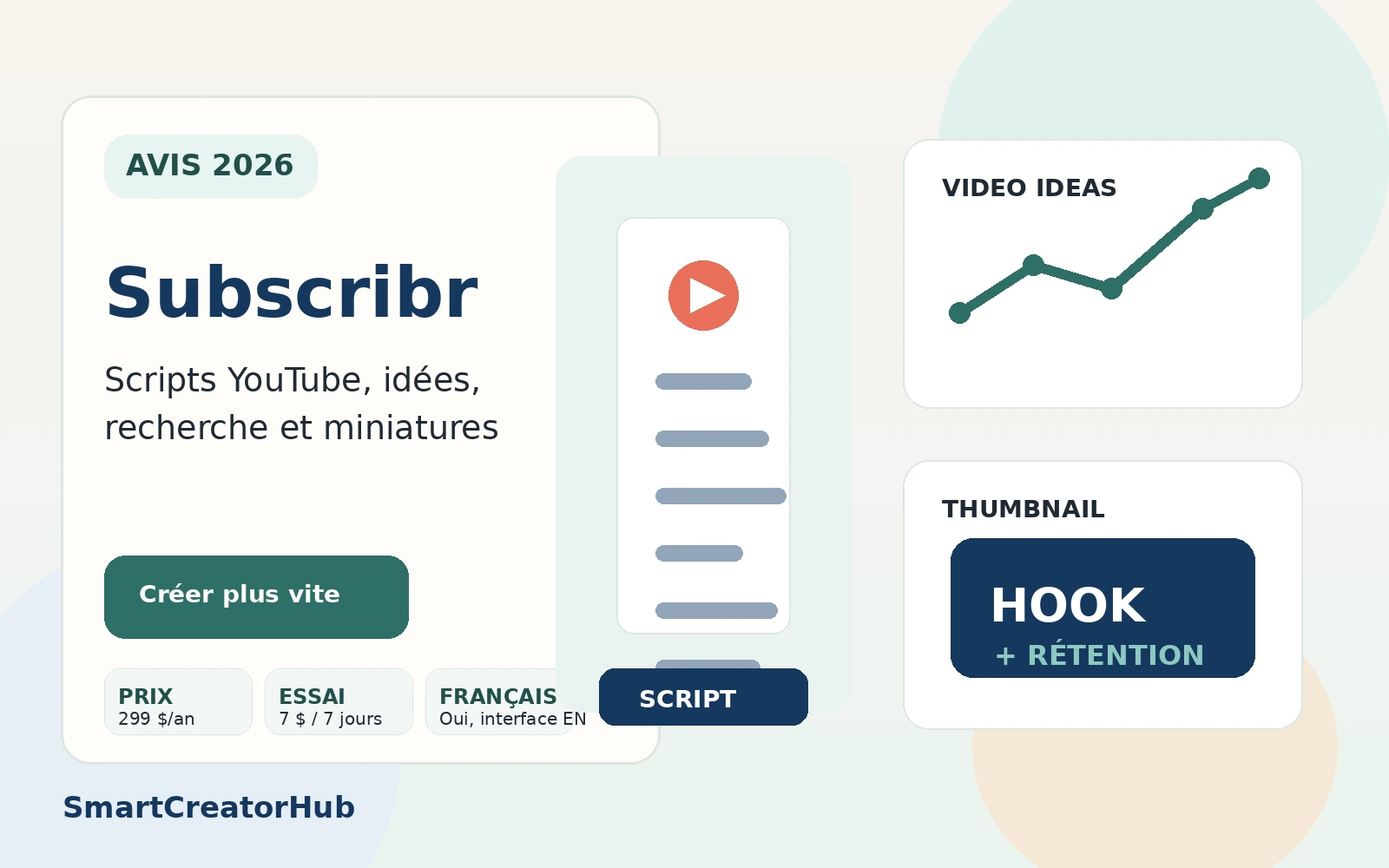
| Subscribr in 2026 | Current position |
|---|---|
| Free plan | Permanent, no card or trial clock |
| Paid plans | Growth $99 · Pro $249 · Max $499 monthly |
| Core workflow | Research → ideas → scripts → thumbnails → finished video |
| Script credits | 60 / 180 / 300 per month on Growth / Pro / Max |
| Thumbnails | 150 / 500 / 1,000 per month |
| Video allowance | 66 / 185 / 415 minutes per month |
| MCP | Available even on Free |
| Best fit | Creators who publish consistently enough to use the full workflow |
What is Subscribr?
Subscribr is a YouTube-focused production platform. Instead of starting with a blank AI chat, it organizes work around channels, projects and the stages involved in publishing a YouTube video.
The current product covers four broad jobs: research and ideation, script production, packaging through thumbnails, and finished-video generation. It also exposes its workspace to external AI assistants through MCP and to custom workflows through its API.
This is important because older Subscribr reviews often describe it primarily as an AI script writer. That description is now incomplete. In 2026, scripts remain central, but they are one stage of a much wider production pipeline.
What changed in Subscribr in 2026?
The biggest change is scope. Subscribr's current pricing and help center describe a system that now spans the whole workflow rather than stopping at the script.
- Finished-video generation: paid plans include video-generation minutes and workflows for your own recording, AI-avatar or faceless formats.
- Thumbnail Studio: paid plans include a separate monthly thumbnail allowance.
- MCP integration: the workspace can be connected to ChatGPT, Claude, Cursor, VS Code, OpenClaw and compatible MCP clients.
- API and agent workflows: projects, Intel research, scripts and operations can be accessed programmatically.
- Production-oriented pricing: Growth, Pro and Max now bundle script credits, thumbnail allowances and video minutes.
The result is that evaluating Subscribr only against an AI writing tool misses a large part of the product. The more relevant question is how much of your YouTube pre-production and post-production workflow you actually want inside one platform.
Subscribr pricing in 2026
As checked on September 28, 2026, Subscribr offers a permanent Free plan plus three paid tiers. The following table uses current month-to-month pricing.
| Plan | Price | Channels / users | Script credits | Thumbnails | Video |
|---|---|---|---|---|---|
| Free | $0 | 1 / 1 | — | — | — |
| Growth | $99/mo | 3 / 3 | 60 | 150/mo | 66 min/mo |
| Pro | $249/mo | 5 / 10 | 180 | 500/mo | 185 min/mo |
| Max | $499/mo | Unlimited / Unlimited | 300 | 1,000/mo | 415 min/mo |
Subscribr advertises an effective finished-video rate of $1.50/minute on Growth, $1.35 on Pro and $1.20 on Max when billed monthly. Annual billing lowers those advertised per-minute rates further. The actual render charge still depends on video length and visual mix, and Subscribr shows the final quote before rendering.
Is Subscribr really free?
Yes. The Free plan is permanent rather than a timed trial. It includes one channel, one user, the Projects board, channel setup, three idea batches each month and ten Intel searches each month. MCP access is also available on Free.
The key boundary is simple: planning and research can be free; Subscribr-generated production is paid. Generating scripts, thumbnails and finished videos requires a paid plan. You can still save scripts written elsewhere into the workspace.
Which Subscribr plan should you choose?
| Situation | Most logical starting point | Why |
|---|---|---|
| Testing the workflow | Free | Validate research, ideas, channel setup and agent connectivity without a card. |
| Publishing about weekly | Growth | This is the first production tier and is explicitly designed around a regular solo-creator workflow. |
| Several videos per week / small team | Pro | Much larger script, thumbnail and video allowances plus 1080p exports and more seats. |
| Portfolio of channels | Max | Unlimited channels/users and the largest monthly production allowances. |
A useful way to remember the upgrade path is: Free validates the workflow; Growth unlocks production; Pro unlocks volume; Max is built for portfolio-scale operations.
Subscribr credits explained: there are three different balances
One of the easiest things to misunderstand about Subscribr is the word “credits.” The product uses three separate credit systems, and spending one does not reduce the others.
| Credit type | What it pays for | Key rule |
|---|---|---|
| Script credits | First draft of a Subscribr-generated script | Cost depends on requested script length |
| Thumbnail credits | Brainstorm, Clone or Edit actions in Thumbnail Studio | Each action costs one thumbnail credit |
| Video credits | Rendering a finished video | One credit is 60 seconds of Standard-equivalent video |
How many script credits does a script cost?
| Requested length | Approx. video duration | Script credits |
|---|---|---|
| 150–500 words | 1–3 min | 1 |
| 800–1,300 words | 5–8 min | 3 |
| 1,600 words | ~10 min | 5 |
| 2,000–3,200 words | 12–20 min | 6 |
| 4,000–4,800 words | 25–30 min | 7 |
| 6,400 words | ~40 min | 8 |
| 8,000 words | ~50 min | 9 |
| 10,000 words | ~60 min | 10 |
That makes Growth's 60 script credits easier to understand. If every draft were a roughly 10-minute, 1,600-word script at five credits, the theoretical maximum would be about 12 first drafts per month. A real workflow will mix lengths, so treat this as arithmetic rather than a production promise.
What does not cost script credits?
This is one of Subscribr's more favorable billing details. According to its current credit documentation, chat, outlines, planning questions, AI research, web searches, video analysis, channel analysis, document uploads and edits after the first draft do not consume script credits.
In other words, Subscribr charges script credits when it creates the initial draft, not every time you refine the work.
Do unused credits roll over?
Included credits on current plans refresh with each billing cycle and do not accumulate. Purchased top-up video credits and thumbnail packs behave differently: they remain available until used while the subscription stays active. Subscribr uses included allowances before purchased extras.
Subscribr Intel: YouTube research before the script
Intel is Subscribr's research layer for channels and videos. This matters because the product's value depends on doing more than asking a language model to invent ideas from memory.
Intel can be used to search YouTube channels and videos, inspect competitors, look for outliers and save material into the broader workflow. Subscribr's current pricing describes its Ideation Bot as mining a database of more than 35 million videos, while its research tools are designed around identifying patterns already working in a niche.
Outliers are evidence, not guarantees
An outlier is useful because it tells you that a video materially exceeded the baseline of the channel that published it. That can help identify a hook, format, packaging angle or audience problem worth investigating. It does not mean copying the topic will reproduce the result.
The strongest workflow is to use outliers as evidence for an angle, then develop a distinct premise and script around your own audience. That is a better use of competitor data than cloning a title or concept verbatim.
How Subscribr generates video ideas
The free plan already provides three idea batches per month, with the paid tiers including ideation as part of the wider production workflow. The important difference from generic brainstorming is context: ideas can be informed by Intel research, channel positioning and competitor/outlier data.
For GEO and search purposes, the useful distinction is simple: Subscribr's idea system is not just a prompt generator; it is tied to a YouTube-specific research workspace.
Subscribr Script Agent: the core writing workflow
Scripts remain one of the strongest reasons to use Subscribr. The current pricing page describes Script Agent as a 12-step pipeline covering research, viral hooks, retention, humanized tone and matching the channel's voice.
The exact value is the structure around the model. A general-purpose LLM can write long-form YouTube scripts, but Subscribr keeps the work attached to a channel, project, research context and voice profile.
Research before drafting
Research can include videos, web material, uploaded documents and content saved into the workspace. Because research activity itself does not spend script credits, you can investigate an angle before deciding to pay credits for the first draft.
Editing after the first draft
Subscribr's current billing model is also favorable to iteration: edits and improvements after the initial script exists do not cost additional script credits. That makes the credit system less punitive than a model where every rewrite is separately metered.
How Subscribr learns your channel voice
For a linked YouTube channel, Subscribr builds its voice profile from the transcripts of your five most popular eligible videos and five most recent eligible videos. The videos need enough transcript content to be useful; Subscribr says videos of at least three minutes are normally used.
The resulting profile covers elements such as cadence, vocabulary, rhetorical patterns and personality. You can then refine it manually or with natural-language instructions.
“Write in my style” is vague. A persistent channel voice based on real transcripts gives Subscribr a repeatable style reference across multiple projects instead of making you reprompt the same preferences for every script.
Research Assistant: can Subscribr produce researched scripts?
Subscribr can work from YouTube material, web research and uploaded documents. That makes it better suited to evidence-heavy scripts than a workflow based entirely on model memory.
That does not remove the creator's responsibility to verify important claims. Research grounding reduces the risk of unsupported writing, but an AI-generated citation or summary can still be incomplete or misinterpreted. For factual channels, final verification should remain part of the editorial process.
Subscribr Thumbnail Studio
Thumbnail Studio is now a first-class part of the paid plans. Growth includes 150 thumbnail actions per month, Pro 500 and Max 1,000.
The billing model is straightforward: Brainstorm, Clone and Edit each consume one thumbnail credit. That makes the allowance easier to reason about than script or video credits.
What the workflow can do
- Brainstorm: generate concept directions from the video idea.
- Clone: create a new thumbnail using a proven reference as visual inspiration.
- Edit: revise an existing thumbnail from feedback.
- Channel context: work from your own channel or study another channel's packaging.
- Export: prepare a YouTube-ready thumbnail rather than stopping at a text prompt.
The important distinction is that Thumbnail Studio sits inside the same project as the idea and script. That reduces the gap between “what is the video about?” and “how should it be packaged?”
Can Subscribr create the finished YouTube video?
Yes. Current paid plans include finished-video generation and editing. This is one of the biggest reasons older Subscribr reviews are incomplete.
The current product supports workflows based on your own recording, an AI avatar or a faceless format. The video layer can incorporate visual style, B-roll, captions, voice and other editing choices. Each Subscribr channel can be linked to a Subscribr Video channel that stores visual and presentation presets.
How video credits work
One video credit represents 60 seconds of Standard-equivalent finished video, but that does not mean every ten-minute video costs exactly ten credits. The visual mix and chosen rendering settings affect the final quote. Subscribr shows the exact cost before the render begins.
| Plan | Included video time | Advertised monthly effective rate | Advertised max videos |
|---|---|---|---|
| Growth | 66 min | $1.50/min | Up to 8 |
| Pro | 185 min | $1.35/min | Up to 23 |
| Max | 415 min | $1.20/min | Up to 52 |
Does Growth really include eight videos?
“Up to eight” should not be read as eight videos of any length. Growth includes 66 minutes of finished-video generation and editing, so the practical number depends on runtime and rendering choices. A creator making long-form 20-minute videos will hit the minute allowance before producing eight full-length videos.
This is why minutes are the more useful buying metric than the headline video count.
Subscribr MCP: use it inside ChatGPT, Claude and other AI clients
MCP is one of Subscribr's most interesting 2026 features, especially for creators already building their workflow around an AI assistant.
Subscribr documents compatibility with Claude Desktop, Claude.ai, ChatGPT, Cursor, VS Code, OpenClaw and other compatible MCP clients. Importantly, MCP access is available even on the Free plan.
The integration can expose Projects, tasks, notifications, channels, scripts, ideas, templates, Voice Profiles and Intel research inside the external AI conversation.
What can an external agent actually do?
Subscribr's current MCP catalog includes tools for listing and updating projects, searching YouTube channels and videos through Intel, generating ideas, reading workspace context and handling production operations. This makes the integration more useful than a simple “export to ChatGPT” button.
For example, you can ask an attached AI client to search Intel for outlier videos, inspect a channel and then create or update work inside Subscribr without manually moving every piece of context between tools.
Does Subscribr have an API and CLI?
Yes. In addition to MCP, Subscribr promotes REST API and CLI access as part of its agent-oriented workflow. This makes the platform relevant to agencies or technical creators who want to connect YouTube research and production to their own systems.
The important buying question is whether you need that automation. A solo creator using the normal web interface may never touch the API, while an agency coordinating many channels can get much more value from programmatic access.
Subscribr vs ChatGPT or Claude: what are you actually paying for?
ChatGPT and Claude can absolutely research, brainstorm and write YouTube scripts. Paying for Subscribr only makes sense if the YouTube-specific operating layer saves enough time or improves enough consistency.
| Capability | General AI assistant | Subscribr |
|---|---|---|
| General reasoning/writing | Excellent | Available through its script workflow/models |
| YouTube Intel/outlier workspace | Needs external data/workflow | Built in |
| Persistent channel voice | Possible with custom setup | Built from channel transcripts |
| Projects board | External organization needed | Built in |
| Thumbnail Studio | Requires separate image workflow | Built in on paid plans |
| Finished-video rendering | Not native to a text assistant | Included on paid plans |
| MCP integration | Can act as the client | Exposes Subscribr data/tools to the client |
If you already have a polished custom workflow across ChatGPT/Claude, research tools, an image generator and a video editor, Subscribr has to beat that setup on convenience and repeatability. If you are still moving manually between five separate tools, the integrated pipeline is much easier to justify.
Is Subscribr easy to use?
The core workflow is conceptually straightforward because everything is organized around channels and projects. The complexity comes from breadth. Subscribr now includes research, scripting, packaging, rendering, teams, agents and three kinds of credits.
For a beginner, the Free plan is useful because it lets you learn the project and research model before paying. For an advanced user, MCP/API access creates a second layer of complexity but also much more flexibility.
Subscribr pros and cons
Pros
- Permanent free research/planning tier.
- Full YouTube workflow rather than only AI writing.
- Structured Script Agent and persistent Channel Voice.
- Intel/outlier research built into the workspace.
- Thumbnail Studio with large monthly allowances.
- Finished-video generation on paid plans.
- MCP available even on Free.
- API/CLI options for advanced workflows and agencies.
- Research and post-draft editing do not consume script credits.
Cons
- $99/month is the minimum tier that generates content.
- Three separate credit systems make billing less intuitive.
- Headline “videos per month” numbers are constrained by minute allowances.
- YouTube-specific: poor value if your content operation is mainly multi-platform.
- Can overlap heavily with a mature ChatGPT/Claude + specialist-tool workflow.
- Video-production value depends on whether the visual styles fit your channel.
- Max is expensive unless multi-channel volume justifies it.
Who should use Subscribr?
- Weekly long-form YouTubers: enough publishing frequency to benefit from repeatable research, scripting and packaging.
- Faceless channels: the production pipeline can cover scripting, thumbnail and rendered-video stages without requiring the creator on camera.
- Agencies: multiple channels, users and programmatic access become more valuable at team scale.
- Business/educational channels: researched scripts and persistent voice can create a repeatable editorial system.
- Creators using AI agents already: MCP makes it possible to keep ChatGPT/Claude as the main interface while Subscribr provides YouTube-specific data and operations.
Who should skip Subscribr?
- Creators publishing only occasionally.
- Users who only want basic AI writing and do not need YouTube-specific research or production.
- Shorts-only creators whose workflow does not need long-form script structure.
- Creators already happy with a custom stack of general AI, research, thumbnail and video tools.
- Teams whose primary need is deep post-publication YouTube analytics rather than production workflow.
Subscribr alternatives
If your priority is channel analytics, competitor intelligence and strategy rather than an integrated production workflow, read our TubeAI review. If your main decision is between traditional YouTube optimization platforms, our vidIQ vs TubeBuddy comparison covers that separate intent.
General assistants such as ChatGPT or Claude remain the lowest-friction alternative when you mainly need ideation and writing and are comfortable building your own workflow around them.
Is Subscribr worth it in 2026?
Subscribr is worth considering when YouTube is a repeatable production operation rather than an occasional project. The product is much easier to justify today than when it was primarily a script tool because the paid plans now bundle ideas, scripts, thumbnails, finished-video minutes and agent/API connectivity.
The most important threshold is Growth at $99/month. If you publish weekly and can actually use the script, thumbnail and video workflow, the bundle can replace enough separate work to make economic sense. If you only want four AI-written scripts per month, it is harder to justify against a general AI assistant.
Pro and Max are primarily volume decisions. They make sense when more channels, more users, more thumbnails and substantially more video minutes translate into actual publishing capacity.
Try Subscribr before paying
The Free plan is useful because it lets you test channel setup, projects, idea research, Intel and MCP connectivity without a credit card. That is the best way to judge the workflow before paying for production.
Affiliate link: SmartCreatorHub may receive a commission if you later purchase through this link, at no additional cost to you.
Frequently asked questions
Is Subscribr free?
Yes. Subscribr has a permanent free plan with one channel, the Projects board, channel setup, three idea batches per month and ten Intel searches per month. Scripts, thumbnails and finished videos require a paid plan.
How much does Subscribr cost?
As checked in September 2026, Subscribr costs $99/month for Growth, $249/month for Pro and $499/month for Max when billed monthly. A permanent Free plan is also available.
What does the Subscribr free plan include?
The free plan is primarily for planning and research. It includes one channel, one user, the Projects board, channel setup, idea batches, Intel searches and MCP/API access, but not Subscribr-generated scripts, thumbnails or finished videos.
How do Subscribr script credits work?
Script credits are charged when Subscribr creates the first draft. A roughly 10-minute, 1,600-word script costs five credits. Research, chat, outlines, document uploads and edits after the first draft do not consume script credits.
How many 10-minute scripts can Growth generate?
Growth includes 60 script credits per month. At five credits for a roughly 10-minute script, that is a theoretical maximum of about 12 first drafts if all credits were used only for that script length.
What is a Subscribr video credit?
One video credit represents 60 seconds of Standard-equivalent finished video. The actual quoted cost depends on video length and visual mix, and Subscribr shows the final estimate before rendering.
Can Subscribr generate thumbnails?
Yes. Paid plans include Thumbnail Studio credits. Brainstorm, Clone and Edit each consume one thumbnail credit.
Can Subscribr create finished YouTube videos?
Yes. Current paid plans include finished-video generation and editing. Workflows can use your own recording, an AI avatar or a faceless format, with visual style, B-roll, captions and voice options.
Does Subscribr work with ChatGPT and Claude?
Yes. Subscribr exposes an MCP integration that can connect to ChatGPT, Claude, Cursor, VS Code, OpenClaw and other compatible clients. MCP access is available even on the free plan.
Does Subscribr have an API?
Yes. Subscribr offers REST API access as well as MCP and CLI-oriented workflows for projects, YouTube research, scripts, ideas and production operations.
How does Subscribr learn a channel's voice?
For a linked YouTube channel, Subscribr analyzes transcripts from the five most popular and five most recent eligible videos, then builds a profile covering cadence, vocabulary, rhetorical patterns and personality.
Do unused Subscribr credits roll over?
Included credits on current plans refresh each billing cycle and do not accumulate. Purchased top-up video credits and thumbnail packs remain available until used while the subscription remains active.
Is Subscribr worth it?
Subscribr is easiest to justify for creators or teams publishing YouTube videos consistently enough to use its research, script, thumbnail and video-production workflow. Occasional creators who only need AI writing may get better value from a general-purpose assistant.
Sources and verification
Pricing, limits and product features were checked on September 28, 2026. Software changes frequently, so purchase-critical limits should be rechecked on the vendor's live pricing page.
- Subscribr pricing
- Subscribr — Understanding Credits
- Subscribr — MCP integration
- Subscribr — video generation integration
- Subscribr — Channel Voice