Landing pages · CRO · AI page building
Leadpages review 2026: pricing, AI Builder, MCP, pros & cons
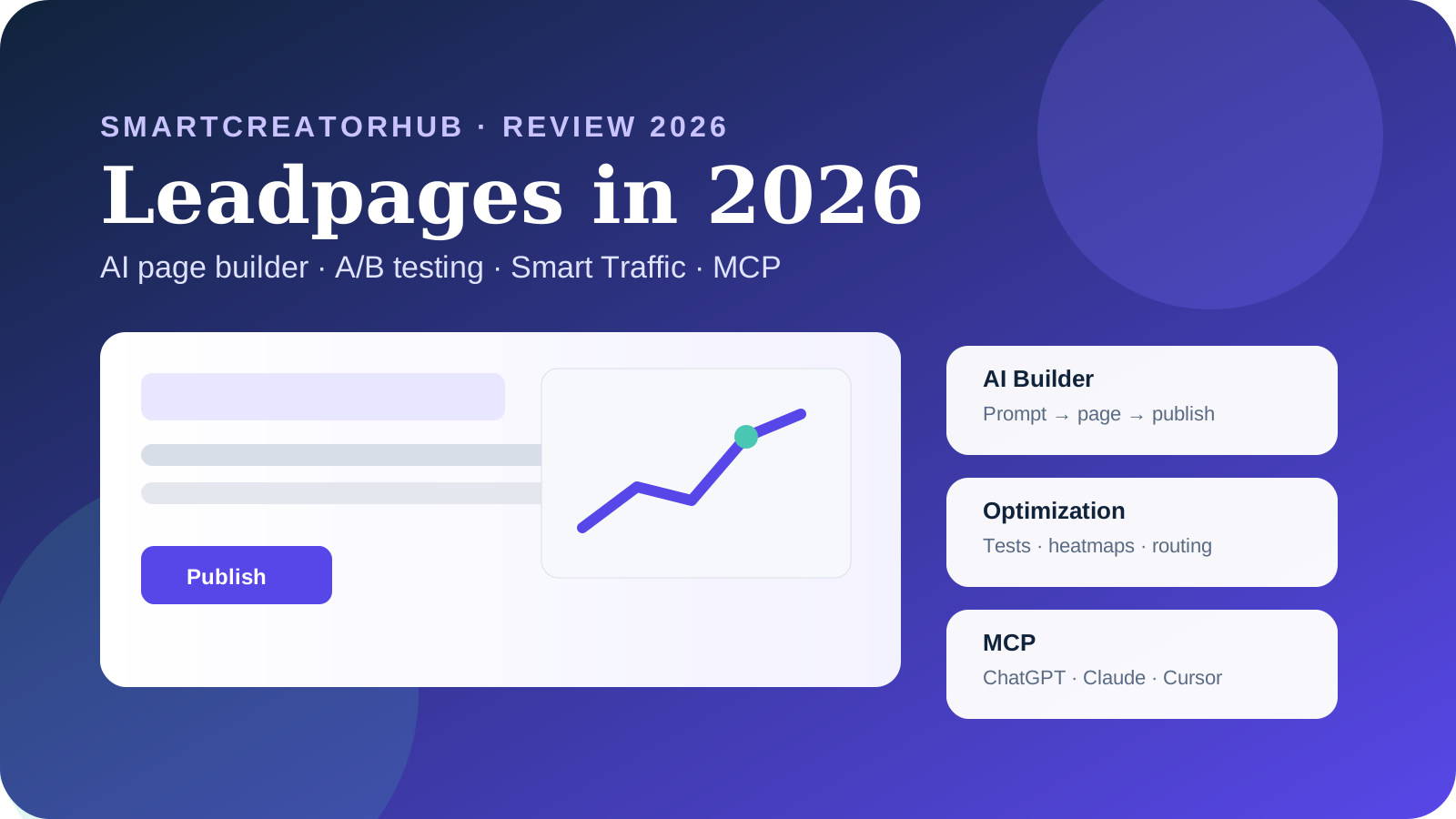
Leadpages is no longer just a drag-and-drop landing-page builder. In 2026 it combines AI page creation, built-in A/B testing, analytics, heatmaps, Smart Traffic, personalization and an MCP layer that can let tools such as ChatGPT or Claude build and publish pages from a conversation.
Quick verdict
Is Leadpages worth it in 2026?
Leadpages is worth shortlisting if landing pages are a recurring acquisition channel and you will actually use testing or optimization. Grow is the practical starting point for AI page creation and A/B testing. Optimize becomes more compelling when heatmaps, Smart Traffic and visitor intelligence can replace separate CRO tools. If you only need one simple static landing page, $99/month is much harder to justify.
The biggest 2026 change is workflow: Leadpages can now move from prompt → page → test → optimization in one product, and its MCP server extends that workflow into AI assistants.
How this review was prepared: we checked Leadpages' current product pages, pricing documentation, 2026 support articles and recent user feedback. This is a research-based buying guide, not a claim that SmartCreatorHub ran a full production campaign inside every feature.
What is Leadpages in 2026?
The historical description — “a landing-page builder with templates” — is now incomplete. Templates and visual editing still matter, but the 2026 offer increasingly revolves around the work that happens after the first page is live: measuring behavior, testing variants, routing visitors and iterating faster.
That shift matters when comparing price. A buyer evaluating Leadpages only against a cheap page builder will often conclude that $99/month is expensive. A buyer replacing a page builder plus an A/B testing tool plus heatmaps may see the bundle differently.
What changed in Leadpages in 2026?
| Area | Older buying lens | 2026 buying lens |
|---|---|---|
| Page creation | Choose a template and edit it manually | Prompt-based AI page generation plus visual editing |
| Testing | Separate optimization workflow | Built-in A/B testing from Grow |
| Optimization | Manual decisions | Smart Traffic, personalization and automated optimization on higher tiers |
| Behavior data | Use Hotjar/Crazy Egg separately | Built-in click, scroll and attention heatmaps on Optimize+ |
| AI workflow | Work inside the dashboard | MCP and AI integrations can create/edit/publish from ChatGPT, Claude and compatible tools |
This is the main reason old reviews can now mislead buyers. Pricing, plan names and the feature stack have changed, so a 2024 or 2025 review may describe a product that no longer maps cleanly to the current offer.
Leadpages pricing in 2026
Leadpages' August 2026 plan documentation lists three paid CRO tiers. Annual billing saves roughly 20%. Check Leadpages pricing ↗
| Plan | Monthly | Annual equivalent | Best fit |
|---|---|---|---|
| Grow | $99/mo | $79/mo ($948/year) | Marketers who need AI page building + A/B tests |
| Optimize | $199/mo | $159/mo ($1,908/year) | Teams using heatmaps, Smart Traffic and personalization |
| Scale | $399/mo | $319/mo ($3,828/year) | Higher-volume teams wanting continuous optimization and more controls |
Grow: the rational starting point
Grow is where Leadpages becomes a serious CRO tool rather than only a page publisher. The current plan documentation includes unlimited pages, four custom domains, A/B testing, brand kits, analytics retention, integrations, storage and monthly AI credits. For most individual marketers, the question is whether those testing capabilities will be used enough to justify the price.
Optimize: where the bundle becomes more differentiated
Optimize adds the features that can replace standalone tools: Smart Traffic, heatmaps, more integrations, more analytics history, team seats and more AI credits. If you are already paying for heatmaps or doing repeated CRO work, the extra $100/month can be easier to defend than it first looks.
Scale: pay for automation, not just “more pages”
Scale is not primarily about getting more landing pages — pages are already unlimited. The value case is more advanced automation, bigger operational limits and continuous optimization. Small teams that will not use those workflows should resist upgrading just because Scale sounds more complete.
Want to check the current Leadpages offer?
Plan packaging changes more often than the core buying logic. Verify the checkout terms and the features you actually need before choosing annual billing.
Open LeadpagesLeadpages AI Page Builder: what it changes
The useful part is not merely that AI writes copy. Generic AI writing is easy to find elsewhere. The more defensible value is context: the generated page lands directly in the same editor where you can connect forms, change layout, publish, create test variants and observe conversion data.
Good use case
You launch many campaign pages and the bottleneck is getting from brief to first testable version.
Weak use case
You publish one evergreen page and already have a design system or developer workflow you prefer.
What to verify
Brand consistency, mobile layout, form logic and whether the generated structure actually matches your acquisition intent.
AI speed should not be mistaken for conversion quality. A page generated in a minute can still make a weak offer, use generic proof or place the CTA poorly. The practical advantage is reducing the cost of producing variants, not removing the need for judgment.
Can ChatGPT build a Leadpages landing page?
Direct answer
Yes. Leadpages provides an MCP server that it says exposes 47 tools to compatible AI clients. Its current documentation lists ChatGPT, Claude, n8n, Make, Cursor, Windsurf, VS Code Copilot and other MCP-compatible tools as supported workflows. The AI can create pages, upload images, apply a brand kit, edit copy and publish without requiring the user to stay inside the Leadpages dashboard.
This is one of the strongest reasons the 2026 product deserves a fresh review. MCP changes where the work can happen. Instead of opening a page builder and manually performing each action, an operator can describe the desired page in a conversation and let the connected tool perform supported actions.
For agencies, the interesting workflow is not “AI wrote a headline.” It is repeatability: import a client's brand from a URL, generate a campaign page, iterate, publish and potentially automate that process from an external workflow.
A/B testing: a core reason to choose Leadpages
Leadpages includes A/B testing from the Grow tier. Its current A/B testing documentation describes server-side variant assignment, multiple variants, conversion goals and statistical confidence. Higher tiers add more automated routing and optimization.
| Capability | What it means | Why it matters |
|---|---|---|
| Server-side assignment | Visitors are assigned before the page renders | Reduces the flicker problem common to client-side testing |
| Multiple variants | More than a simple A/B pair can be tested | Useful when testing several messages or offers |
| Conversion goals | Tests can track forms, clicks or other outcomes | Keeps the experiment tied to a business action |
| AI-assisted variants | AI can help create test candidates | Reduces the effort required to keep testing |
A/B testing is where Leadpages can justify its price for paid acquisition. If you spend thousands on ads, improving a page from one conversion rate to another can matter more than saving $50 on the page builder. If you have almost no traffic, the opposite is true: sophisticated testing features will not create statistical signal out of thin air.
Smart Traffic: useful when equal splits are not enough
This is conceptually different from declaring one universal winner. If one variant works better for paid social on mobile and another works better for returning desktop traffic, intelligent routing can preserve that distinction.
The trade-off is interpretability. Automated routing can improve outcomes while making experiments harder to explain than a clean 50/50 split. Teams that need simple causal learning may still prefer manual tests for some decisions.
Built-in heatmaps: one of Optimize's clearest advantages
Leadpages now includes click heatmaps, scroll-depth heatmaps and attention maps on Optimize and Scale. The feature is integrated into the editor, so the workflow is: see the problem, edit the page, then test the change.
Click heatmaps
See which elements get taps or clicks and whether visitors are trying to click non-interactive content.
Scroll depth
See how far visitors travel down the page and whether critical proof or pricing sits below the attention drop-off.
Attention maps
Desktop-oriented attention data can reveal sections that attract or lose focus.
This does not make dedicated behavior-analytics tools obsolete. Session recordings, surveys and broader product analytics can still require other software. But for landing-page optimization, embedding heatmaps directly beside the editor removes a lot of friction.
Analytics, visitor intelligence and lead data
Every paid Leadpages tier includes a native analytics layer. Current documentation lists pageviews, unique visitors, conversion tracking, device/source breakdowns and different retention windows by plan. Optimize adds heatmaps and deeper audience intelligence; Scale extends retention and data-export options.
Leadpages also documents lead enrichment that can add company details, industry, size and location information to leads. That is more useful for B2B acquisition than for every consumer campaign, but it shows the product's direction: moving from “capture an email” toward “understand who converted and how to act on it.”
Leadpages pros and cons
Pros
- AI page generation and visual editing in one workflow.
- A/B testing starts on Grow rather than being locked to an enterprise tier.
- No visitor traffic cap on the current CRO plans.
- Built-in heatmaps and Smart Traffic can reduce the need for separate CRO tools.
- MCP makes ChatGPT/Claude-style workflows materially more useful than a simple “AI copy” button.
- Unlimited pages on the main paid CRO tiers.
Cons
- $99/month is expensive if you only need a basic static page.
- Heatmaps and Smart Traffic require the $199/month Optimize tier.
- The expanding product line can make pricing/search snippets confusing, especially with HTML Pub.
- AI generation still needs human review for claims, brand fit and mobile details.
- Some recent user reviews report support or reliability frustrations; treat these as signals to test during the trial, not as proof that every account will have the same experience.
What do recent users say?
G2 currently shows a 4.3/5 rating from more than 230 reviews. Recent positive reviews emphasize ease of use, fast page creation and helpful support. Other reviewers mention limited flexibility, price concerns or editing issues. A July 2026 review describes a severe page/data-loss experience after an update; that is one user's report rather than evidence of a general failure rate, but it is a reasonable prompt to ask about backups, revision history and recovery before moving business-critical pages.
Speed to publish, mobile-ready pages, no-code editing and a workflow that feels easier than coordinating design/development.
Price, occasional flexibility limits, and isolated complaints about support or reliability.
Leadpages alternatives: when another tool fits better
| Tool | Better when... | Leadpages is stronger when... |
|---|---|---|
| Unbounce | You want a mature landing-page specialist with clearly separated Build / Experiment / Optimize tiers and are comfortable with visitor limits. | No traffic caps and the integrated heatmap + MCP story matter more. |
| Instapage | Your workflow is heavily centered on paid-media teams, collaboration and enterprise landing-page operations. | You want a simpler SMB/agency buying path with AI + testing in one product. |
| ClickFunnels | You need funnels, email, courses, checkout, CRM-style workflows and broader revenue infrastructure. | Your priority is landing-page experimentation rather than running an all-in-one funnel business stack. |
| Carrd | You need a very inexpensive, simple one-page site or landing page. | Testing, CRO analytics, AI workflows and campaign iteration justify a much higher budget. |
Competitor packaging changes frequently. We intentionally avoid making the decision depend on a single competitor price that may change after publication.
Who should use Leadpages?
Best fit
- Paid acquisition teams shipping landing pages repeatedly.
- Agencies that need quick client campaign pages.
- Small marketing teams without a dedicated CRO engineer.
- Operators who want ChatGPT/Claude/MCP workflows tied to a real publishing platform.
- Teams currently paying separately for A/B testing or basic heatmaps.
Probably overkill
- A creator who needs one static link-in-bio page.
- A site with too little traffic to run meaningful experiments.
- A company already standardized on a CMS and CRO stack that works well.
- A buyer mainly looking for email marketing, a CRM or a checkout system.
Which Leadpages plan should you choose?
Choose Grow if your core goal is to build quickly and run A/B tests.
Choose Optimize if you can point to specific workflows for heatmaps, Smart Traffic, personalization or visitor intelligence.
Choose Scale only when continuous optimization, bigger operating limits or advanced team controls are already part of your process.
That last distinction matters. Buying Scale “for later” is an expensive way to own features you do not yet operationalize. Start with the lowest tier that solves today's workflow, then upgrade when the extra optimization layer has a clear owner and a clear use case.
Our final verdict
Leadpages is much more interesting in 2026 than a simple template-builder comparison suggests. The combination of AI page generation, A/B testing, no traffic caps, built-in behavior data and MCP creates a coherent product for marketers who want to ship and optimize without assembling five tools.
Its weakness is equally clear: the minimum serious CRO plan is not cheap. If you are not testing, measuring or iterating, you are paying for capabilities that will sit idle. The product makes the most sense when conversion rate is important enough that faster experiments can plausibly pay for the software.
Leadpages FAQ
How much does Leadpages cost in 2026?
Leadpages' current CRO plans are Grow at $99/month, Optimize at $199/month and Scale at $399/month. Annual billing is listed at roughly $79, $159 and $319 per month equivalent. HTML Pub is a separate lower-cost product and should not be confused with the main Leadpages CRO plans.
Does Leadpages have a free plan?
Leadpages documents a free signup that lets you build in the editor, but publishing to a live URL requires a paid product. The main Leadpages platform also offers a 7-day trial. Check the checkout terms before starting because card requirements can vary between offer pages.
Does Leadpages work with ChatGPT?
Yes. Leadpages provides an MCP server and AI integrations that connect the platform to ChatGPT and other MCP-compatible tools. The MCP documentation says the server exposes 47 tools for creating, editing, branding and publishing pages.
Does Leadpages include A/B testing?
Yes. A/B testing is included from the Grow tier. Leadpages documents server-side variant assignment, AI-assisted variants and multiple testing modes, with more automated optimization on higher tiers.
Does Leadpages have traffic limits?
Leadpages says its current CRO plans do not impose visitor traffic caps or pageview overage fees. Plan differences are instead based on features, domains, seats, integrations, storage, AI credits and optimization capabilities.
Which Leadpages plan is best?
Grow is the sensible starting point when you mainly need AI page creation and A/B testing. Optimize is the stronger value for teams that will actually use heatmaps, Smart Traffic and visitor intelligence. Scale is aimed at teams that want continuous optimization and more advanced account controls.
Is Leadpages worth $99 per month?
It can be if landing pages are a recurring acquisition channel and you will use testing or AI workflows. If you only need one simple static landing page, lower-cost tools can be easier to justify.
What is the difference between Leadpages and HTML Pub?
HTML Pub is a separate lower-cost publishing product. The main Leadpages CRO plans start higher and include the experimentation and optimization layer that this review evaluates.
Sources and fact-checking links
We prioritize current first-party documentation for product facts, then use third-party reviews for experience signals. Product pages can change, so the pricing and plan documentation should be rechecked before a purchase.
- Leadpages — current pricing and plans ↗
- Leadpages Knowledge Base — plans, pricing and AI credits (updated August 20, 2026) ↗
- Leadpages — AI Page Builder ↗
- Leadpages — MCP Page Builder / 47-tool server ↗
- Leadpages — AI integrations ↗
- Leadpages — A/B testing ↗
- Leadpages — Smart Traffic ↗
- Leadpages — built-in heatmaps ↗
- Leadpages — analytics ↗
- Leadpages — customer case studies ↗
- G2 — Leadpages user reviews ↗