Updated September 15, 2026 · Reviewed for pricing, product positioning and source accuracy
7 AI tools that update your CRM after a sales call
A meeting summary and an automatic CRM update are not the same thing. The useful systems identify the right facts, map them to the right fields, create the right next actions and make it possible to review what the AI changed.
Quick answer: what makes an AI CRM-update tool useful after calls?
The important capability is not meeting summarization; it is reliable structured extraction into the CRM fields your team actually uses. A useful tool should map the right account, opportunity, objections, timeline and next steps, then make changes reviewable. Test field-level accuracy with your own CRM schema before rolling it out across the sales team.
- Evaluate structured CRM autofill, not summary quality alone.
- Measure missing fields and false positives on real calls.
- Keep human review for fields that affect forecasting or pipeline stage.
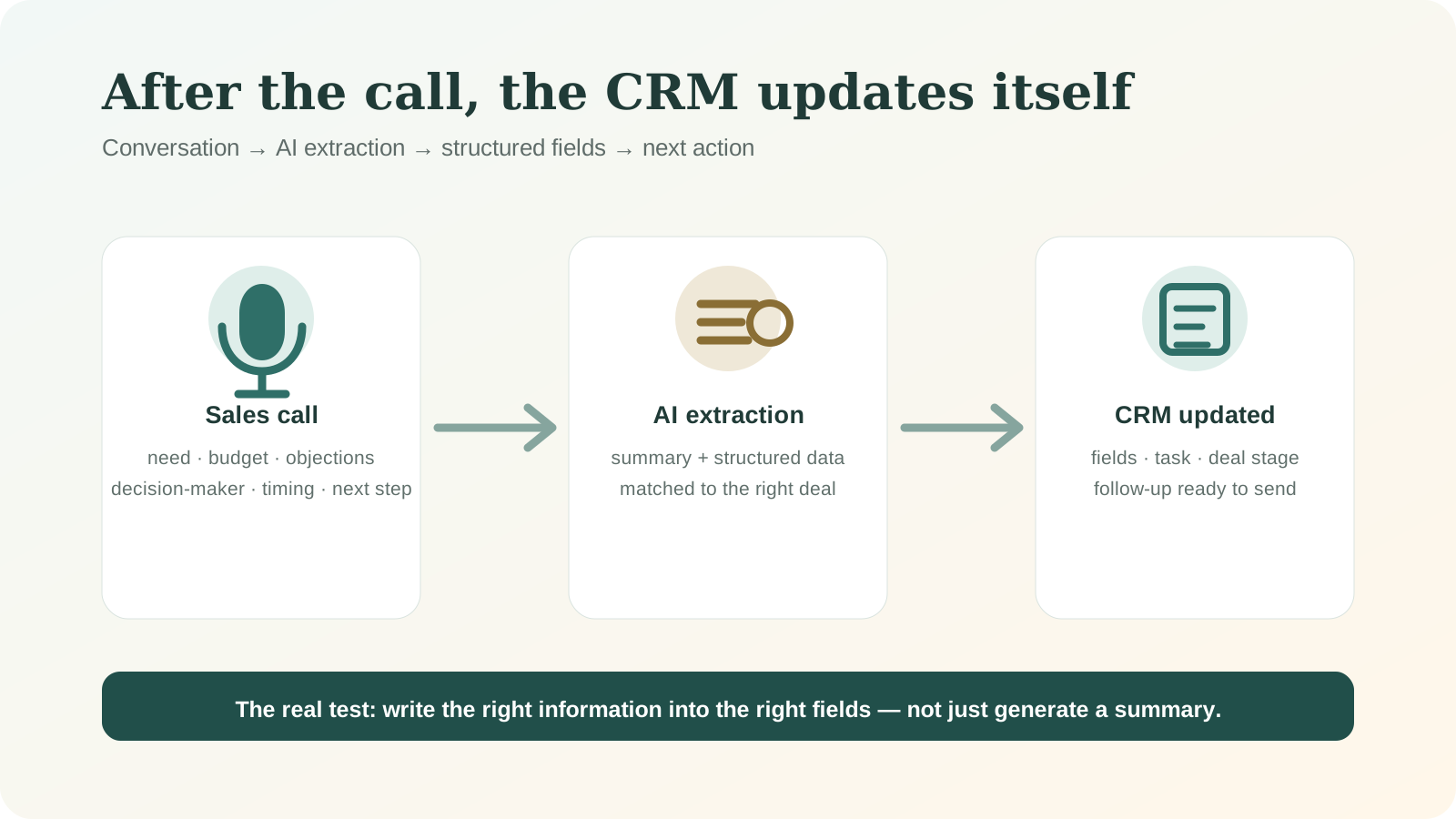
Meeting summaries and CRM autofill are different
A generic meeting assistant can produce a good paragraph and still fail the sales workflow. CRM autofill requires structured extraction: identify the customer, opportunity, objections, budget, timeline, next step and any methodology-specific fields, then write them to the correct record.
That introduces a higher accuracy requirement. A wrong summary sentence is annoying; a wrong pipeline stage or fabricated budget can contaminate forecasting.
1. Sybill — strongest fit for direct CRM autofill
Sybill is designed around the sales conversation and the administrative work that follows it. Its CRM autofill positioning makes it one of the first tools to evaluate when the goal is reducing manual data entry rather than simply generating meeting notes.
Run a test with your real CRM schema. Measure field-level accuracy, missing values, false positives and how easy it is for a rep to review or correct the update.
2. Modjo — revenue intelligence with CRM context
Modjo is relevant for revenue teams that want call intelligence, coaching and CRM-connected workflow in one system. It makes more sense when managers and RevOps will use the conversation data, not just individual reps.
European teams may also value its market positioning and existing revenue-operations focus. Verify current CRM connectors and plan requirements.
3. AskElephant — RevOps automation after calls
AskElephant focuses on turning customer conversations into downstream actions. It is especially interesting when the sales organization uses a formal methodology and wants AI to update structured fields rather than leave the rep with a summary to copy manually.
Test the edge cases: multiple opportunities in one call, uncertain dates, changing stakeholders and contradictory statements.
4. HubSpot Breeze — logical for a HubSpot-native stack
If HubSpot is already your CRM, the native AI layer deserves evaluation before adding another meeting SaaS. A native workflow can reduce integration complexity and keep customer data inside the existing operating system.
The limitation is lock-in and feature availability by plan. Confirm exactly what the AI can update automatically and what still requires manual workflow configuration.
5. Fireflies.ai — broad meeting automation
Fireflies is attractive because it is a general meeting platform with a wide integration story. It can be a cost-effective option when the team needs transcription, searchable calls and CRM automation without a heavier revenue-intelligence purchase.
The buying test is field depth. “CRM integration” can mean attaching a summary to the record or updating structured fields. Those are very different levels of automation.
6. Avoma — meeting assistant plus revenue workflow
Avoma combines meeting assistance with sales-oriented capabilities. It can be a good middle ground when the team wants one tool for scheduling, notes, coaching and CRM synchronization.
As with Fireflies, inspect the exact CRM write-back behavior rather than judging the product on transcript quality alone.
7. n8n + OpenAI/Claude — custom logic
A custom n8n workflow can transcribe or receive the call summary, pass the text through an LLM with a strict schema, validate fields and update the CRM via API. This is powerful when your sales process has unusual fields or business rules.
The trade-off is ownership. Someone must monitor failures, model changes, rate limits and security. Add human approval for high-impact fields until the workflow has proven reliable.
The safest post-call workflow
- Capture the conversation with consent and clear retention rules.
- Extract a structured JSON object with only the fields you need.
- Validate required formats and reject low-confidence values.
- Show the proposed update to the rep when a field affects forecasting or qualification.
- Write approved changes to the CRM and keep an audit trail.
- Measure correction rate by field so you know where automation is actually reliable.
Should AI be allowed to edit the CRM without review?
For low-risk fields such as meeting notes, fully automatic write-back can be reasonable. For amount, close date, stage, qualification status or contractual commitments, a review step is usually safer until you have enough accuracy data.
The mature approach is not “human or AI.” It is field-level autonomy: automate what is reliably extractable and preserve approval where an error has business consequences.
Frequently asked questions
What is the best AI tool for CRM updates after sales calls?
For direct sales-specific autofill, Sybill, Modjo and AskElephant are strong candidates. The best choice depends on your CRM schema and revenue process.
Can Fireflies automatically update a CRM?
Fireflies offers CRM integrations, but verify whether your required plan and CRM support the exact fields and actions you need.
Is a custom n8n workflow cheaper?
It can have lower software cost, but you must include development, monitoring, maintenance and error-handling time in the comparison.
Sources and verification
Product capabilities and pricing can change. We prioritize first-party documentation for purchase-critical details and recommend checking the vendor before subscribing.
- Sybill CRM autofill guide
- Modjo CRM pipeline documentation
- AskElephant automatic CRM updates
- HubSpot AI for sales
- Fireflies sales use cases
- Avoma pricing
- n8n
Related SmartCreatorHub guides
Need an agent to select external tools at runtime? See our Monid review for MCP, API routing and shared-balance trade-offs.